FireRed & LeafGreen RNG (CFW)
Introduction
In FireRed & LeafGreen, RNG manipulation lets you control the outcomes of in-game events, including the internal details of Pokémon you encounter. Generation 3 RNG mechanics have been studied extensively over the years, and a lot of that same knowledge can be applied to the Switch versions of these games.
This guide explains the existing research while also highlighting any differences or quirks specific to RNG manipulation on the Switch ports. It's designed to be useful whether you're new to RNG abuse in Generation 3 or are already familiar with the concepts.
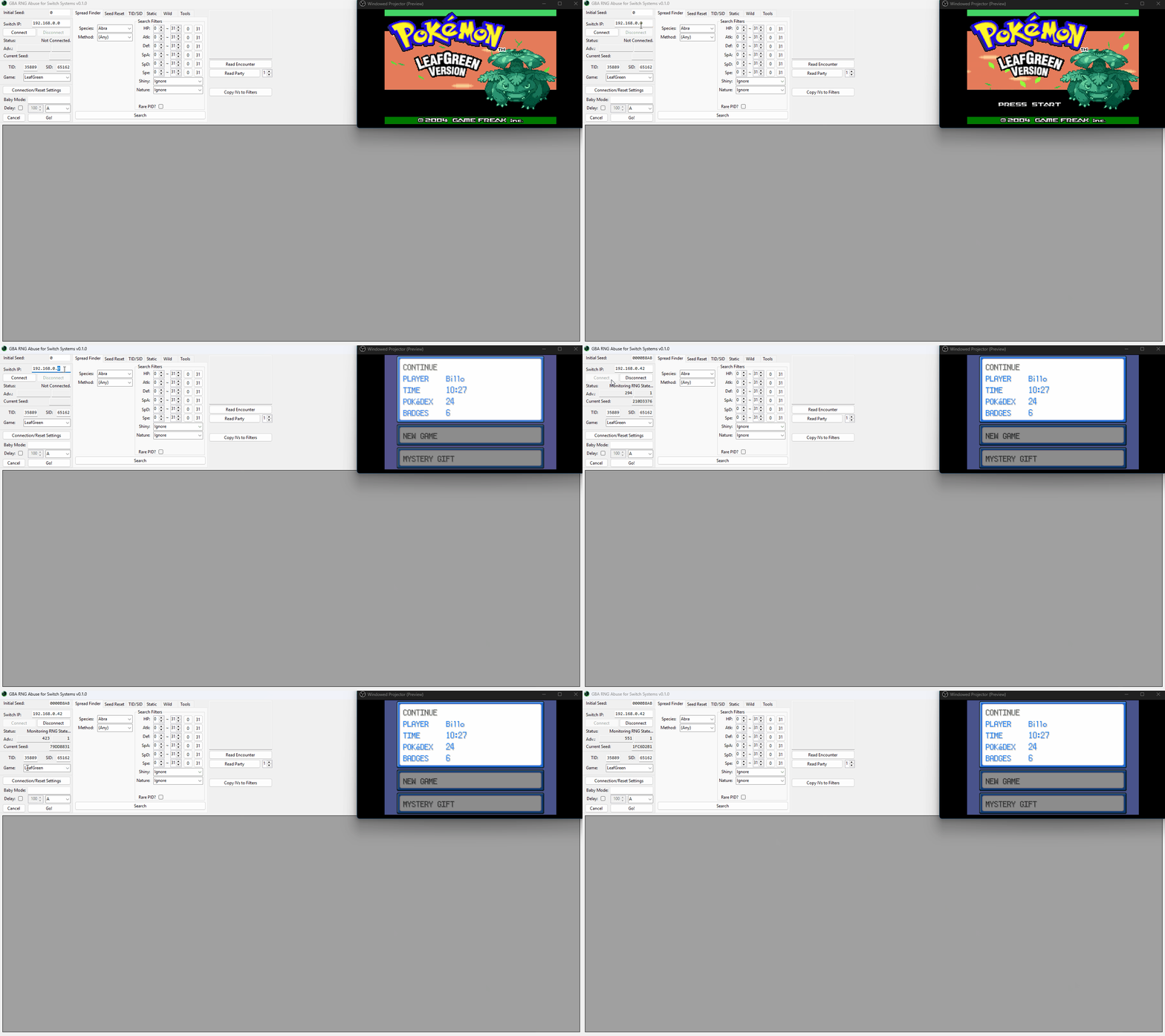
Figure 1 - GRASS Setup
Tools and Applications
- GRASS by LegoFigure11
Installation Instructions
Download the latest GRASS release and extract the entirety of the download into an empty folder inside a known location on your computer. GRASS comes bundled with a custom fork of sys-botbase, which is used to communicate with your console in real time. Copy the bundled atmosphere folder to the root of your Switch SD card and reboot the console.
You can consider using a USB connection if your connection to Wi-Fi is unstable, but this comes with extra setup instructions that must be completed first.
Extra Setup (USB ONLY)
- Follow the USB setup instructions and return here once complete.
- In the file that contains your GRASS download, open
config.jsonin a text editor. - Set the
Protocolto1. - Set the
USBPortto the appropriate port number (see USB setup instructions step 10). - Save the new changes, then close
config.json. - On your Switch SD card, navigate to
/atmosphere/contents/430000000000000B/. - Open
config.cfgin a text editor and change the text tousb. - Save the changes and reboot the console once more.
Program Connectivity
- Launch FireRed/LeafGreen and press the
Abutton to reach the main menu. - Open GRASS, it should be configured to work with your desired connection method.
- For Wi-Fi, enter the console IP address into the
Switch IP:field, this can be found by entering the Homebrew menu and pressing theYbutton. - For USB, confirm that the USB port is correct or enter it into the
USB Port:field and connect your USB cable to your computer and console. - Click
Connect, the Seed, Game, TID, and SID fields should automatically populate if connection was successful.
Confirm that GRASS is communicating properly with your console before continuing, as later sections assume your setup is already functioning correctly. Visit the relevant troubleshooting Wiki if you are experiencing issues (Wi-Fi | USB).
DISABLING GAME MODS AND CHEATS
You will need to remove all mods or cheats for the game you are playing before proceeding. Mods/cheats can alter the RNG of the games and cause RAM reads to fail. Switch mods/cheats are stored in the atmosphere/contents directory on your SD card. This folder is typically empty on a fresh installation of Atmosphère.
Methods for Disabling Mods/Cheats
Any of these methods can work to disable mods/cheats. You should select the best one for your use case.
- Rename the
atmosphere/contentsfolder to something else, such asoldcontents. This will allow you to keep everything you previously installed. You can simply rename the folder back when done. - Delete the
atmosphere/contentsfolder. This may be a good option if you have many files in this directory that you do not recognize and you want to clean out your SD card. - Delete specific mods/cheats from the
atmosphere/contentsfolder. This requires you to know which title ID corresponds to what. - If you wish to keep the
atmosphere/contentsfolder intact, you can holdLevery time you boot the game.
Note - Some sys-modules that are not necessary for these tools can still cause interference if they are present on your Switch. If you are still experiencing issues, remove all unnecessary sys-modules that were not required by this guide.
Figure 2 - GRASS Overview
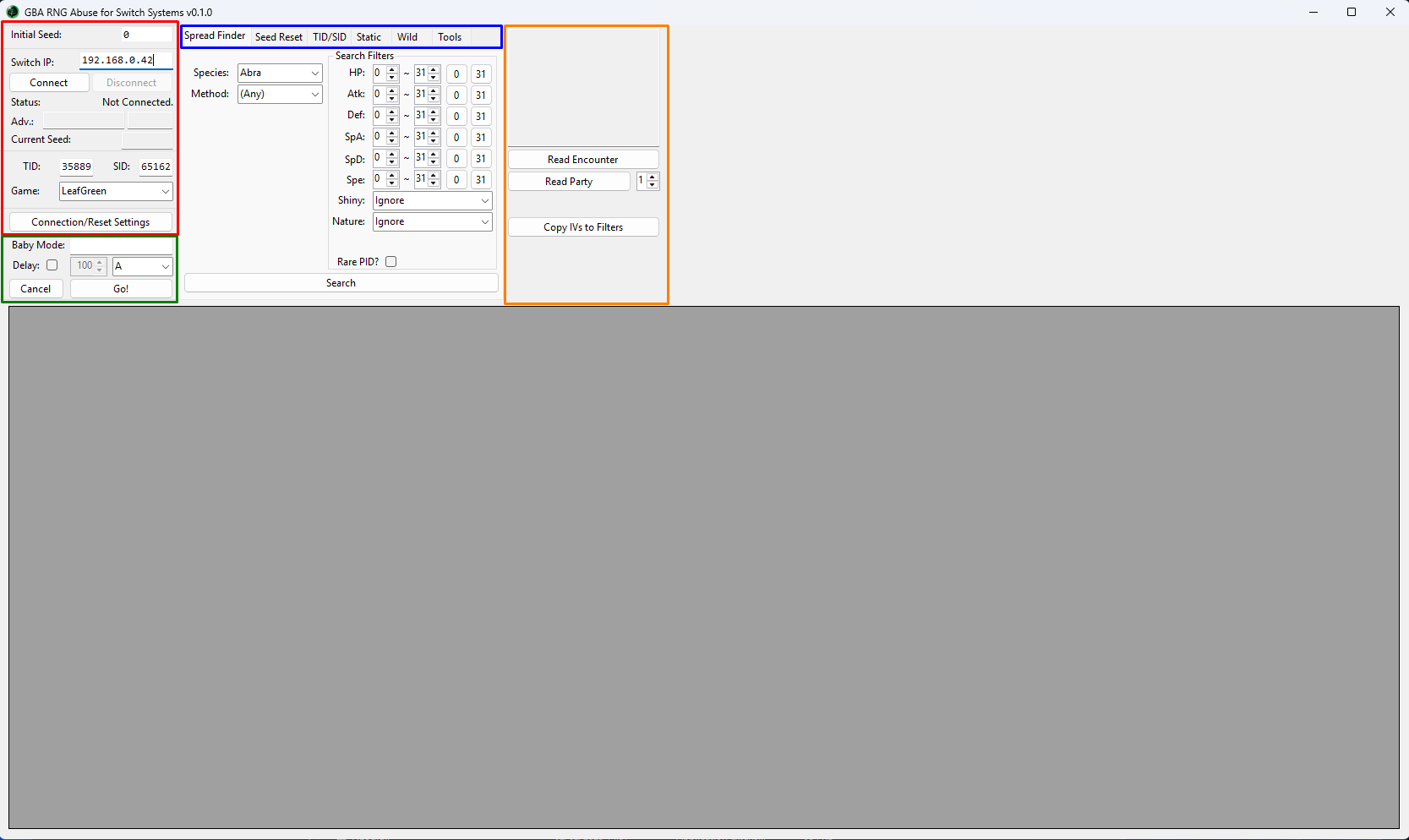
When opening GRASS you should be presented with something similar to the above image (coloured boxes have been added for clarity). This section provides a basic idea of what each section of the tool does, more detailed information will be covered in later sections of the guide when needed.
- Red Section - Provides program connectivity features, seed monitoring, advances counter, and save file information reading.
- Blue Section - Various tabs that are used for different functionalities within GRASS.
- Spread Finder - Used to search for specific IV/Nature spreads for a given target Pokémon to see what is possible in-game.
- Seed Reset - Automates the process of resetting for a seed that is desirable based on your search criteria.
- TID/SID - Used for TID/SID manipulation, automate the process of resetting for a desired TID, predict upcoming SIDs, and find matching SIDs for a target PID.
- Static - Used throughout the process of Static RNG manipulation. Forecasts the details of upcoming Static encounters on your seed.
- Wild - Used throughout the process of Wild RNG manipulation. Forecasts the details of upcoming Wild encounters on your seed.
- Tools - Extra tools that can be used to aid the RNG manipulation process, typically used for more advanced users.
- Green Section - Baby Mode. Used to automate the process of hitting a target frame for those that have accessibility (or skill) issues.
- Orange Section - Read the details of any wild or party Pokémon and copy IVs to your search filters (useful for delay/offset calibration).
You may be unfamiliar with some of the terminology in this section, so a table has been provided below as a reference. It is intended to give you a clear understanding of key terms/phrases used through the guide to avoid confusion.
| Common Terminology Table | |
|---|---|
| Term | Definition |
| Seed | When launching the game you are given a "random" hexadecimal value that ultimately determines the outcome of anything random that happens in-game. |
| Advances | Otherwise known as "frames", this term is used to describe how many times the RNG seed has progressed since we initially launched the game. |
| TID/SID | Otherwise known as "Trainer ID/Secret ID", is a unique identifier for each trainer. These values are used to determine if a Pokémon is shiny based on that Pokémon's PID. We can manipulate our TID/SID to make a specific PID result in that Pokémon being shiny (covered later!). |
| PID | Otherwise known as "Personality ID", is a unique identifier for each Pokémon. This value is closely tied to the details of the Pokémon, such as its IVs, nature, gender, ability, and most importantly shiny status. |
| Static | A type of encounter or gift. Refers to any Pokémon with a visible overworld model or those given to you by interacting with an NPC. such as starter Pokémon, NPC gifts/trades, game corner Pokémon, Articuno/Zapdos/Moltres, Entei/Raikou/Suicune, Ho-Oh/Lugia/Deoxys, and Mewtwo. |
| Wild | A random encounter type triggered by movement in grass, caves, water, or by using methods such as fishing or Sweet Scent. The Pokémon species is not fixed and is determined randomly each time an encounter occurs. |
| Delay | Otherwise known as "offset", this term is used to describe the number of advances that are between the final button input and the advance/frame we actually end up hitting. |
| Method | The way the game generates a Pokémon. Different generation "methods" result in different outcomes for the target Pokémon, most notably the IVs the Pokémon is generated with. Most of the time, wild Pokémon are generated using Method H1. Gifts, Static Encounters, and Roamers typically use Method 1. |
| VBlank | Otherwise known as "vertical blanking", is the function that is used to advance the games RNG, and is responsible for clearing the screen to draw the next frame. This function can affect the method a Pokémon is generated with. |
How Shininess Works
As mentioned in the table, your TID & SID determine whether a Pokémon will appear shiny. When a Pokémon is generated, the game compares its PID against your Trainer ID and Secret ID. If the values match the required condition, the Pokémon is generated as shiny. In theory, any PID can be shiny with the correct TID/SID combination.
TID vs SID Control
TID can be controlled through bruteforce (botting), while SID is controlled through RNG manipulation (frame perfect button input). Any value between 00000–65535 is possible for both the TID and SID. Manipulating both values gives you full control over which spreads can be shiny on your save file, though you can also target a specific TID for aesthetic purposes and ignore SID manipulation entirely if preferred.
When TID/SID Manipulation Matters
Consider manipulating both TID and SID if your goal is to obtain a specific shiny spread or a rare combination of IVs and nature. This allows you to target a specific PID that produces your desired spread (such as 6 perfect IVs) and then make that PID shiny through the correct TID/SID combination.
Important Note
Most common spreads do not require a specific TID/SID combination to be shiny. For example, if you are only aiming for a general competitive spread (such as low Attack or Speed IVs), TID/SID manipulation is usually unnecessary. However, highly specific targets like a 6IV shiny are astronomically unlikely without manipulation.
Sounds interesting? Move onto TID/SID Manipulation!
The Process
TID/SID manipulation is optional. If you are not interested in shiny Pokémon or are using an existing save file, you can safely skip the TID/SID section and move straight onto encounter manipulation. Read the definitions in the above table and decide which type of encounter you wish to manipulate, then click the corresponding button to get started!
Static Encounter/Gift Manipulation! Wild/Fishing Encounter Manipulation!